Customer Discounts
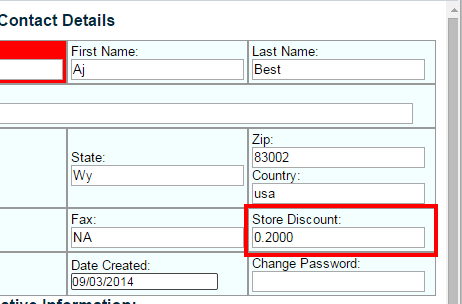 What if you have a repeat customer that always gets a discount at your store? You can easily attach that discount amount in their customer profile so that each time they shop with you the discount will automatically be applied to their order. If the customer already exists simply click the “edit” button across from the customer you want to include and then enter in your discount amount in the “Store Discount” field. Be sure to click “save Customer Details” when finished. If you are entering a new customer then click the ” New Contact” button and fill out all the fields including the “Store Discount”.