Edit Transfer Locations
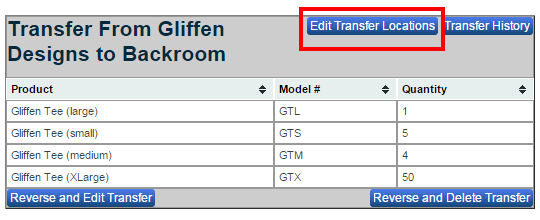
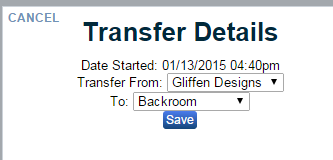
Click the “Edit Transfer Locations” to do just that. Located in upper right corner of your main “Transfers” page. Under Transfer Details you can choose where you want to transfer from, to where you want to transfer to. When finished click the “Save” button.